Build Your Doomsday USB: The Software Stash You'll Thank Yourself for Later
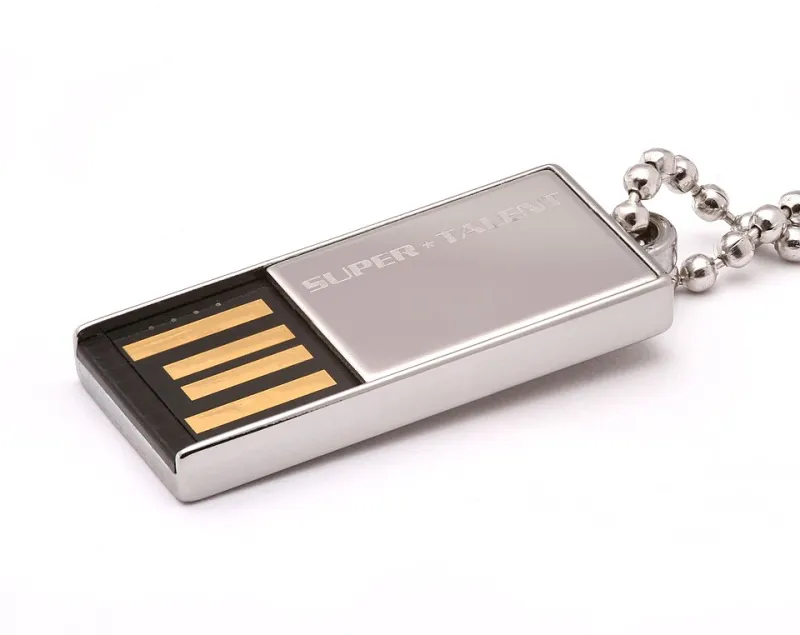
Photo: Afrank99, CC BY-SA 3.0, via Wikimedia Commons
Picture this: a storm knocks out your connection for three days, your laptop decides it's the perfect moment to lose its Wi-Fi driver, and your backup browser installer lives... somewhere in the cloud. Congratulations, you've just met the modern catch-22. The tools you need to fix your computer are on the internet, and the internet is exactly what's broken.
The fix is refreshingly old-school: a USB stick loaded with everything you'd need to get a machine back on its feet without a single bar of connectivity. Call it a doomsday drive, an offline survival kit, or just good sense. Here's how to build one in an afternoon.
Start With the Non-Negotiables
Before anything else, grab offline installers for the essentials. Not web installers — those tiny stub files that download the real program after you run them, which are useless without a connection. You want the full, fat, standalone versions.
Your starter list:
- A full browser installer. Firefox and Chrome both offer offline/enterprise editions. When your main browser breaks, this is your lifeline.
- Network and chipset drivers. Head to your PC manufacturer's support page, download the Wi-Fi, Ethernet, and chipset drivers for your specific model, and stash them in a folder. This is the single most overlooked item — and the one that saves the most headaches.
- An archive tool. 7-Zip is free, tiny, and opens just about everything.
- A PDF reader. Don't assume the one on your machine will survive a botched update.
Add the Recovery Arsenal
Once the basics are covered, layer in the tools that rescue a sick system:
- Malware scanners. A portable, standalone scanner like Malwarebytes' free on-demand version or ESET's offline scanner can hunt infections without relying on definitions you can't update mid-outage.
- Disk health utilities. CrystalDiskInfo tells you in seconds whether that clicking noise is something serious.
- A bootable rescue environment. Tools like Hiren's BootCD or a Linux live USB (Ubuntu works fine) let you boot a machine that won't boot itself and pull files off a dying drive.
- Password manager emergency kit. Most managers let you export an encrypted offline vault. Do it, store it on the drive, and sleep better.
Don't Forget the Boring-but-Brilliant Stuff
A doomsday drive isn't just software. Toss on a few documents and you've got a genuinely versatile kit:
- Scanned copies of your ID, insurance cards, and home inventory (encrypted, please)
- A text file with key account info and support phone numbers
- Your most important files — tax returns, family photos, that half-finished novel
- A copy of this checklist, so future-you remembers why you built the thing
Keep It Fresh
An emergency kit with 2019 drivers is a museum piece, not a tool. Set a calendar reminder — twice a year is plenty, maybe when you change the clocks — and spend twenty minutes refreshing installers and driver packages. Delete anything you've replaced. A cluttered drive is a slow drive to search through at 2 a.m. during an outage.
One more tip: label the drive physically. "EMERGENCY KIT" in Sharpie beats a mystery stick rattling around a junk drawer every time.
Your Quick-Reference Checklist
- Offline browser installer (full version, not web stub)
- Wi-Fi, Ethernet, and chipset drivers for your PC model
-
- 7-Zip or similar archive tool
- PDF reader
- Portable malware scanner
- Disk health utility
- Bootable rescue OS on a separate partition or second stick
- Encrypted password vault export
- Scanned important documents (encrypted)
- Personal file backups
- Refresh reminder set for six months out
Build it once, maintain it twice a year, and the next time your connection dies, you'll be the calmest person on the block. Everyone else will be rebooting their router for the tenth time. You'll be fixing your uncle's laptop with a USB stick and a smug little smile.