Run Anywhere, Install Nothing: Why Portable Apps Are the Future of Productivity Software
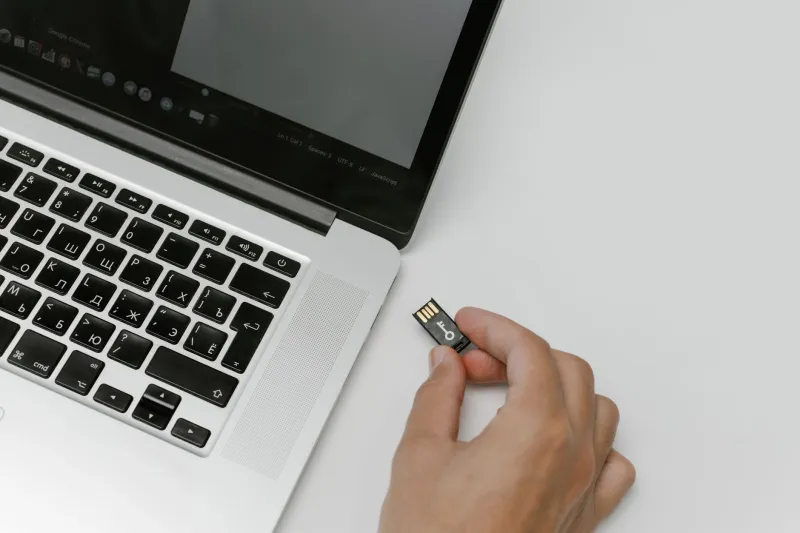
Imagine plugging a thumb drive into any Windows PC and having your entire suite of productivity tools ready to go in seconds — no setup wizard, no admin password required, no leftover files when you're done. That's the promise of portable applications, and for a growing number of users, it's a promise that's being fully delivered.
Portable apps have been around for a while, but they've never been more relevant than they are right now. As people juggle work laptops, home desktops, library computers, and everything in between, the ability to carry your software with you — rather than reinstalling it everywhere — is starting to look less like a niche trick and more like common sense.
What Exactly Makes an App "Portable"?
A portable application is software that runs entirely from a single folder or executable file. It doesn't write to the Windows registry, doesn't scatter files across your system directories, and doesn't require an installer to get going. When you're done using it, you simply close it and walk away — the host computer is left exactly as you found it.
This is a meaningful distinction from traditional software, which tends to embed itself deep into your operating system. Standard installed programs often drop files in C:\Program Files, write preferences to the registry, add startup entries, and sometimes even run background services you never asked for. Portable apps do none of that.
The Real Benefits — Beyond Just Convenience
System Performance
If you've ever noticed a brand-new PC slowing down after a year of installing and uninstalling software, you've witnessed registry bloat in action. Every traditional installation leaves traces, and over time those traces accumulate. Portable apps sidestep this problem entirely. Because nothing gets written to the registry or system folders, your machine stays cleaner for longer. For users who care about keeping their PC snappy, switching to portable versions of common tools is a genuinely practical move.
Privacy and Security
Here's something most people don't think about: when you install software on a shared or public computer, you're potentially leaving behind login tokens, cached files, and usage history. Portable apps keep everything self-contained in their own folder. Close the app, pull out the USB drive, and there's nothing left behind. For anyone who regularly uses computers they don't own — think college students, remote workers, or frequent travelers — that's a significant privacy win.
Flexibility and Portability (Obviously)
The clue is in the name, but it's worth spelling out. Portable apps mean your tools are always with you, configured exactly the way you like them. Your custom keyboard shortcuts, your saved preferences, your file templates — all of it lives on your drive and travels with you. You're not starting from scratch every time you sit down at a different machine.
Portable vs. Installed: When Each Makes Sense
Portable apps aren't automatically better in every situation. If you're working on your own personal machine and you never plan to move your tools elsewhere, a traditionally installed application often offers deeper system integration — things like context menu options, file associations, and automatic updates tend to work more smoothly with installed software.
But for flexibility, privacy, and keeping your system clean? Portable wins, hands down. The sweet spot is using portable apps for your secondary tools — utilities, media players, file managers — while reserving installed software for your core daily-driver applications.
The Best Portable Alternatives Worth Downloading Right Now
The good news is that the portable app ecosystem is genuinely impressive. Here are some standout options across common categories:
Office and Productivity
- LibreOffice Portable — A full-featured office suite (word processor, spreadsheets, presentations) that runs straight from a USB drive. It's the portable answer to Microsoft Office and handles most common file formats without breaking a sweat.
- FocusWriter Portable — A distraction-free writing environment that's perfect for anyone who needs to get words on a page without their computer getting in the way.
File Management
- Double Commander Portable — A powerful dual-pane file manager that makes moving, comparing, and organizing files dramatically faster than Windows Explorer.
- 7-Zip Portable — The gold standard for file compression, available in a fully portable form. Handles ZIP, RAR, 7z, and just about every other archive format you'll encounter.
Media and Graphics
- VLC Media Player Portable — If you haven't discovered VLC yet, welcome to your new favorite media player. It plays virtually any video or audio format, and the portable version is identical to the installed one.
- GIMP Portable — A capable image editor that punches well above its weight class. It's not Photoshop, but for most editing tasks it's more than enough — and it's free.
Utilities and System Tools
- CrystalDiskInfo Portable — Quickly check the health of any drive on any machine. Invaluable for diagnosing problems without leaving a trace.
- Bulk Rename Utility Portable — Rename hundreds of files in seconds using flexible pattern matching. A must-have for anyone who deals with large collections of photos, documents, or media files.
Where to Find Legitimate Portable Apps
PortableApps.com is the most well-known hub for curated, clean portable software, and it even offers its own platform that manages your portable app collection from a USB drive. Beyond that, many mainstream developers now offer official portable versions of their software — it's always worth checking a developer's official download page before grabbing a third-party repack.
When downloading portable apps from anywhere other than the developer's official site, stick to reputable repositories. Scan anything you download with a tool like Windows Defender or VirusTotal before running it — that's just good hygiene regardless of where a file comes from.
The Bottom Line
Portable apps represent a genuinely smarter way to think about software. They respect your system, protect your privacy, and give you the freedom to work from anywhere without rebuilding your setup from scratch every time. Whether you're a power user looking to declutter your main machine or someone who needs a reliable toolkit on the go, building a portable app collection is one of the best software investments you can make — especially since most of the best options won't cost you a dime.