Old Software, New Problems: Why Digging Up Legacy Versions From Download Archives Is Riskier Than You Think
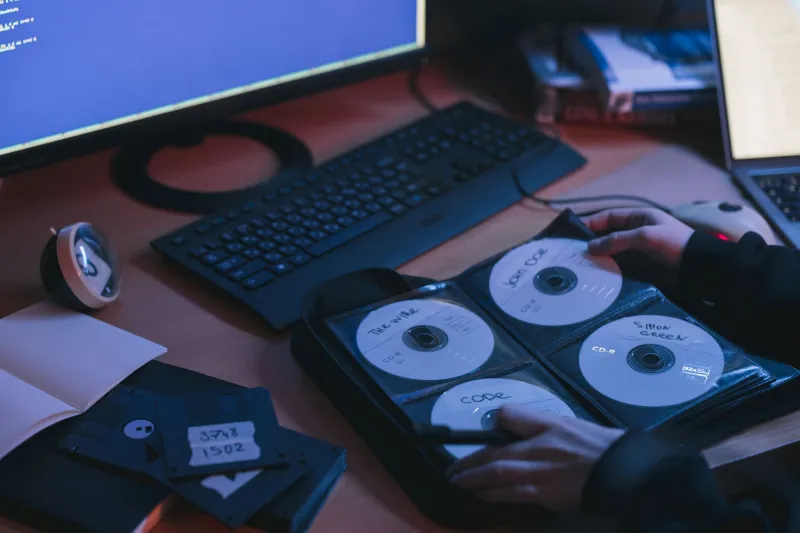
The Nostalgic Pull of Older Software
There's something weirdly comforting about an older version of an app. Maybe the new interface feels cluttered. Maybe a recent update broke a feature you relied on. Maybe you just want the version that worked perfectly back in 2019 and haven't looked back since.
So you do what a lot of people do — you head to a file download archive, type in the software name, and start hunting for that familiar build number. It seems harmless enough. But here's the thing: that innocent-looking download could be quietly setting your system up for a bad time.
Let's talk about why old software versions sitting in download repositories are a bigger deal than most people realize — and what you should actually do instead.
Why Outdated Builds Are a Security Minefield
Every major piece of software gets updated for a reason. Sometimes it's new features, sure, but a huge portion of updates — especially in browsers, media players, productivity tools, and system utilities — exist specifically to close security holes.
When researchers or hackers discover a vulnerability in software, developers push a patch. That patch makes it into the next version. The old version? It stays vulnerable. Forever.
Here's where file archives become a real problem. Sites that host historical software versions are essentially freezing those vulnerabilities in time and making them easily downloadable. A version of a popular PDF reader from 2018 might have a dozen known exploits documented publicly on security databases. Anyone can look them up. And if you're running that version on your machine, anyone with the right knowledge can potentially use them against you.
The longer a piece of software has been sitting unpatched, the longer attackers have had to study its weaknesses and build tools to exploit them. Downloading an old version isn't just a minor inconvenience — it can be handing someone a roadmap to your system.
Compatibility Problems Are Sneakier Than You'd Expect
Security aside, there's another layer of risk that doesn't get talked about enough: modern operating systems and hardware have moved on.
Windows 11, for example, has tightened up a lot of its security architecture compared to older versions of Windows. Some legacy software wasn't built to play nicely with those changes. You might install a 2016-era utility and find that it works fine on the surface — but underneath, it's making system calls that conflict with current security policies, creating instability or unexpected behavior.
Then there's the dependency problem. Older apps were built assuming certain runtimes, libraries, or system components would be present. On a modern, updated machine, those dependencies may have changed or disappeared entirely. You can end up in a frustrating spiral of hunting down additional legacy components just to get one outdated app running — each of those carrying their own risks.
So Why Do People Keep Downloading Old Versions?
Fair question. If it's so risky, why is it such a common thing to do?
A few reasons come up again and again:
Feature regression. Developers sometimes remove tools that power users loved. A video editor that stripped out a specific export format in version 5.0 is going to send some users straight back to version 4.x.
Subscription fatigue. A lot of software that used to be a one-time purchase has shifted to subscription models. Older versions sometimes represent the last build before that switch, and users don't want to pay monthly for something they used to own outright.
System requirements. If you're running an older PC — maybe a machine you use for a specific purpose — the latest version of certain software might require hardware or OS specs you simply don't have.
Workflow lock-in. Some professionals are deeply embedded in specific versions of tools because their project files, plugins, or collaborators depend on it. Upgrading could break years of work.
These are all real, understandable motivations. The point isn't to shame anyone for having them — it's to make sure you're going in with eyes open.
When Legacy Software Might Actually Be Okay
Here's where we get a little nuanced. Not every old version is equally dangerous. Context matters a lot.
If you're running a legacy app on an air-gapped machine — one that's completely disconnected from the internet — the attack surface shrinks dramatically. A lot of industrial, scientific, and creative professionals do exactly this. The machine exists purely to run that one specific tool, and it never touches a network.
Some open-source tools with older version histories are also relatively lower risk if the software itself doesn't interact with the internet, doesn't handle sensitive data, and doesn't have a well-documented exploit history. A simple file converter from 2015 that processes local files is a different animal than an outdated browser or email client.
The key question to ask yourself: does this software connect to anything, and does it handle anything sensitive? If the answer to either is yes, the risk calculation changes significantly.
Smarter Alternatives Worth Considering
Before you go digging through an archive, it's worth exploring your options:
Check the developer's own site first. Some developers actually maintain legacy download pages for legitimate compatibility reasons. Getting an old version directly from the source is always safer than a third-party archive.
Look for actively maintained forks. Especially in the open-source world, a project that stopped updating might have a community fork that picked up where it left off — with security patches included.
Try a virtual machine. If you genuinely need old software for compatibility reasons, running it inside a sandboxed virtual machine limits the damage it can do to your main system. Tools like VirtualBox make this more accessible than ever.
Explore modern alternatives. Sometimes the feature you're mourning in a newer version of one app has been picked up by a competitor. It's worth spending an hour exploring what's current before committing to an outdated build.
Use official rollback features. A handful of software platforms — especially in creative and developer tools — offer official version management that lets you step back to a previous release while staying within a supported ecosystem.
A Note on Where You're Downloading From
If you do decide a legacy version is genuinely your best option, the source matters enormously. Generic file archive sites vary wildly in how carefully they vet what they host. Files can be modified, repackaged, or bundled with extras you definitely didn't ask for.
At minimum, verify file hashes when they're available, run anything you download through a reputable virus scanner before executing it, and pay close attention to what permissions an installer requests. If a 2014 audio utility is asking for network access and wants to modify your startup programs, something's off.
Old software isn't automatically evil. But treating it as a casual, consequence-free download is a mindset that can get you into real trouble. Know what you're grabbing, know why you're grabbing it, and make sure the tradeoff is actually worth it.